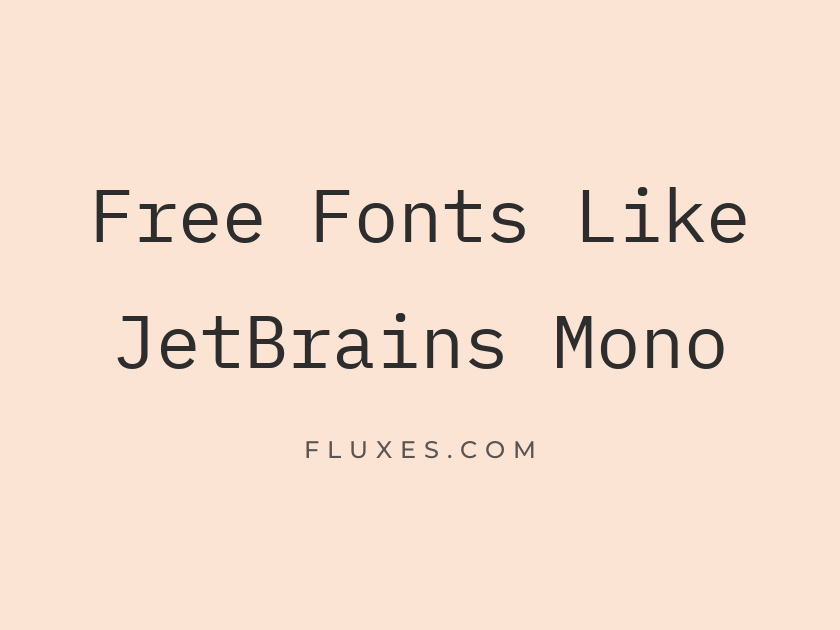
15 Best Free Fonts Similar to JetBrains Mono
Programmers who love JetBrains Mono tend to love it for specific reasons: the tall x-height that keeps code legible at small sizes, the disambiguated zeros and ones, and the slightly condensed width that lets more characters fit on a line without feeling cramped. Finding a free alternative on Google Fonts means looking for that same combination of coding-friendly detailing and calm, workmanlike personality rather than just any monospace typeface. The options below cover everything from close cousins built for IDEs and terminals to a few characterful monospace fonts worth trying in headers, branding, or code blocks on the web.
-
IBM Plex Mono
function main() { return true; }
IBM Plex Mono
Built by IBM’s in-house type team as part of a full open-source superfamily, Plex Mono is probably the nearest thing to a spiritual sibling for JetBrains Mono here. It shares that same engineered, slightly technical feel without tipping into novelty, and it holds up cleanly in both editors and marketing contexts. If you like the idea of a systematic type family with matching sans and serif companions, this is the one to start with.
- Language support: Latin, Latin Extended, Cyrillic, Cyrillic Extended, Vietnamese
- Styles: 14 styles (7 weights plus italics)
-
Fira Code
⚠ Font Specimen: invalid or missing font nameOriginally developed for Mozilla and now a favorite far beyond it, Fira Code is best known for its optional programming ligatures that turn sequences like `=>` and `!==` into single glyphs. That feature alone makes it worth testing if you write a lot of JavaScript or Haskell and want your operators to read faster. It is slightly wider than JetBrains Mono, so expect a touch less code per line.
- Language support: Latin, Latin Extended, Cyrillic, Cyrillic Extended, Greek, Greek Extended
- Styles: 5 weights (Light to Bold)
-
Source Code Pro
git commit -m 'fix: resolve merge conflict'
Source Code Pro
Adobe’s answer to the coding-font brief, Source Code Pro is dependable rather than flashy. It was designed alongside Source Sans as a matching pair, so it pairs naturally with that family in documentation or developer portfolios. Small sizes stay crisp, which is really the whole job for a font like this.
- Language support: Latin, Latin Extended, Cyrillic, Cyrillic Extended, Greek, Greek Extended, Vietnamese
- Styles: 16 styles (8 weights plus italics)
-
Roboto Mono
npm install && npm run build
Roboto Mono
As the monospace member of the Roboto family, this one is an easy default if your interface already runs on Roboto elsewhere. It reads a bit more geometric and less warm than JetBrains Mono, closer in spirit to Android’s own developer tools.
- Language support: Latin, Latin Extended, Cyrillic, Cyrillic Extended, Greek, Vietnamese
- Styles: 14 styles (7 weights plus italics)
-
Space Mono
01001000 01100101 01101100 01101100 01101111
Space Mono
Space Mono trades strict coding utility for personality, with quirky, slightly retro letterforms that feel more at home in a portfolio header or a tech startup’s branding than in a dense code editor. It gets muddy at very small sizes, so save it for display use and pair a more neutral mono like Source Code Pro for actual code blocks.
- Language support: Latin, Latin Extended, Vietnamese
- Styles: 4 styles (2 weights plus italics)
-
Inconsolata
print('Hello, world!')
Inconsolata
A longtime favorite among developers long before JetBrains Mono existed, Inconsolata has a humanist warmth that softens the usual rigidity of monospace type. It remains one of the most widely used free coding fonts, and for good reason: the letterforms are open and easy on the eyes during long reading sessions.
- Language support: Latin, Latin Extended, Vietnamese
- Styles: 8 weights (Extra-Light to Black)
-
Ubuntu Mono
sudo apt-get update && upgrade
Ubuntu Mono
This is the fixed-width companion to the Ubuntu typeface, carrying the same rounded, friendly character into terminal windows and code editors. It feels distinctly different from JetBrains Mono’s more clinical tone, better suited to projects that want a bit of approachable personality in their technical branding.
- Language support: Latin, Latin Extended, Cyrillic, Cyrillic Extended, Greek, Greek Extended
- Styles: 4 styles (2 weights plus italics)
-
Red Hat Mono
return response.status(200).json(data);
Red Hat Mono
Red Hat Mono has a tidy, contemporary geometry that feels very current among free monospace releases. It sits comfortably in developer documentation sites and dashboards where a slightly more modern, less nostalgic mono is wanted.
- Language support: Latin, Latin Extended
- Styles: 10 styles (5 weights plus italics)
-
DM Mono
Type is a craft, code is a language
DM Mono
Lower in contrast and gentler in rhythm than most coding fonts, DM Mono leans editorial. It works well for stylized code snippets on design blogs or portfolio sites where the goal is aesthetic rather than pure IDE legibility, though it is not the first choice for a dense terminal.
- Language support: Latin, Latin Extended
- Styles: 6 styles (3 weights plus italics)
-
Martian Mono
SYSTEM.BOOT_SEQUENCE_INITIATED
Martian Mono
Martian Mono goes further into distinct, futuristic territory, with unusual proportions and a variable design that can flex from narrow to wide. It is a strong pick for sci-fi branding, dashboards, or anywhere you want code-adjacent type to feel deliberately unusual rather than neutral.
- Language support: Latin, Latin Extended, Cyrillic, Cyrillic Extended
- Styles: 8 weights (Thin to Extra-Bold)
-
Spline Sans Mono
{ status: 'success', code: 200 }
Spline Sans Mono
Designed as the monospace partner to Spline Sans, this font has a clean, slightly rounded structure that reads well in UI contexts like code editors embedded in web apps. It is a good middle ground between the technical precision of JetBrains Mono and the softer feel of something like DM Mono.
- Language support: Latin, Latin Extended
- Styles: 10 styles (5 weights plus italics)
-
Azeret Mono
def calculate(x, y): return x * y
Azeret Mono
Azeret Mono has rounded terminals and a slightly playful rhythm that sets it apart from stricter coding fonts. It is worth trying for developer blogs or product sites that want code samples to feel a little less austere than a pure terminal font.
- Language support: Latin, Latin Extended
- Styles: 18 styles (9 weights plus italics)
-
Sometype Mono
while (true) { keepShipping(); }
Sometype Mono
Sometype Mono is a newer, crisply drawn option built with real coding use in mind, with clear differentiation between easily confused characters like 1, l, and I. It is a solid, low-drama substitute if what you actually want from JetBrains Mono is just clean, reliable legibility.
- Language support: Latin, Latin Extended
- Styles: 8 styles (4 weights plus italics)
-
Overpass Mono
curl -X GET https://api.example.com/data
Overpass Mono
Descended from the Overpass family, which itself was inspired by U.S. highway signage, this monospace cut carries a slightly industrial, signage-like feel. It suits developer tools and technical dashboards that want type with a bit more visual weight than the average coding font.
- Language support: Latin, Latin Extended, Cyrillic, Cyrillic Extended, Vietnamese
- Styles: 5 weights (Light to Bold)
-
Anonymous Pro
// TODO: refactor this before shipping
Anonymous Pro
One of the older names in free coding typography, Anonymous Pro has earned its place through sheer reliability in text editors and terminals over many years. It is narrower and plainer than JetBrains Mono, which some coders prefer for fitting more onto a single line.
- Language support: Latin, Latin Extended, Cyrillic, Greek
- Styles: 4 styles (2 weights plus italics)
Pairing and Setting Tips
For actual code blocks, prioritize legibility over personality. Fonts like Source Code Pro, IBM Plex Mono, or Sometype Mono will serve you better at small sizes than a display-leaning face like Space Mono or Martian Mono.
If you are styling a developer blog or documentation site, consider using a distinctive monospace font only for inline code and headers, then falling back to a plainer one like Inconsolata or Roboto Mono for full code blocks.
Ligature-enabled fonts such as Fira Code need explicit font-feature-settings in CSS to activate, so test them in your actual editor or site before committing.
Keep line-height slightly looser than body text defaults; monospace fonts read code more comfortably with a bit of extra breathing room between lines.
There is no single one-to-one replacement for JetBrains Mono, but between the technical precision of IBM Plex Mono, the ligature tricks of Fira Code, and the character of options like Space Mono or Martian Mono, there is enough range here to match almost any coding project or developer-facing design.